Dashboard
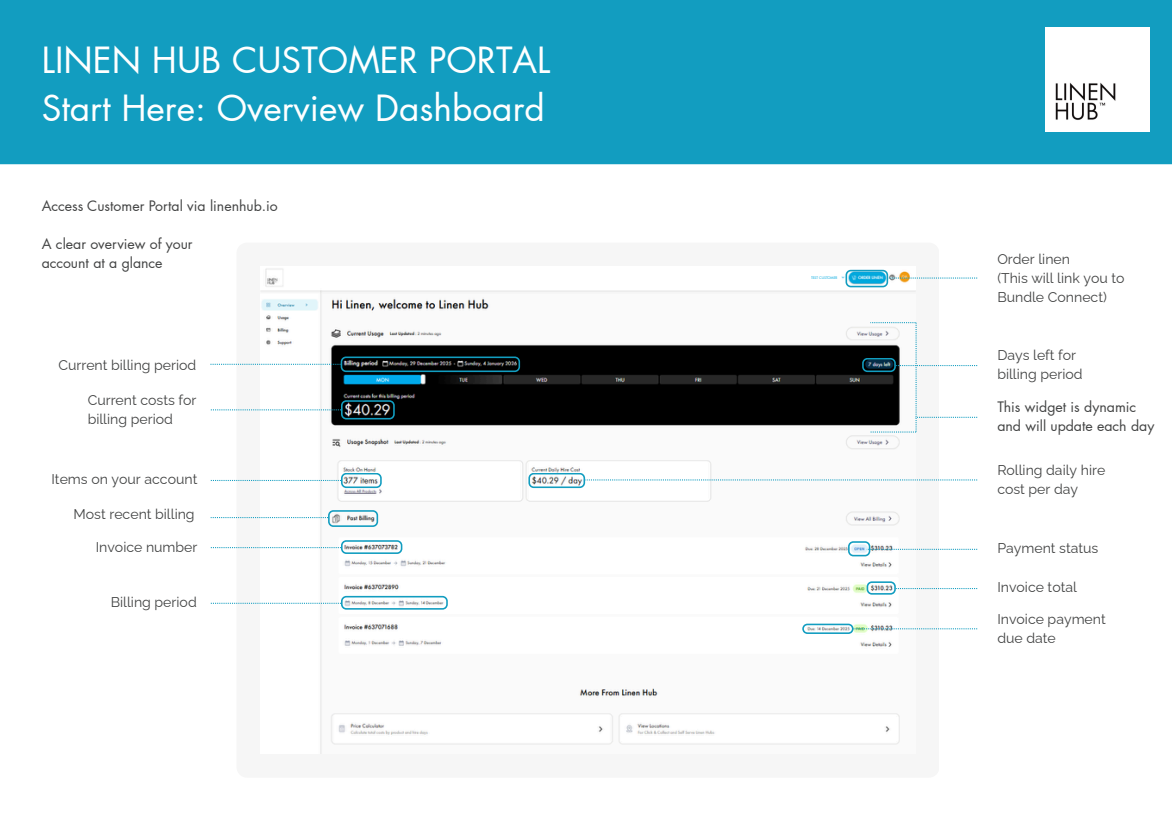
The Overview of the Dashboard gives you a snapshot of your Linen Hub account in one place including:
Current billing period
Daily hire costs
Number of items you have on hire
Recent invoices with payment status and due dates
Customer Portal
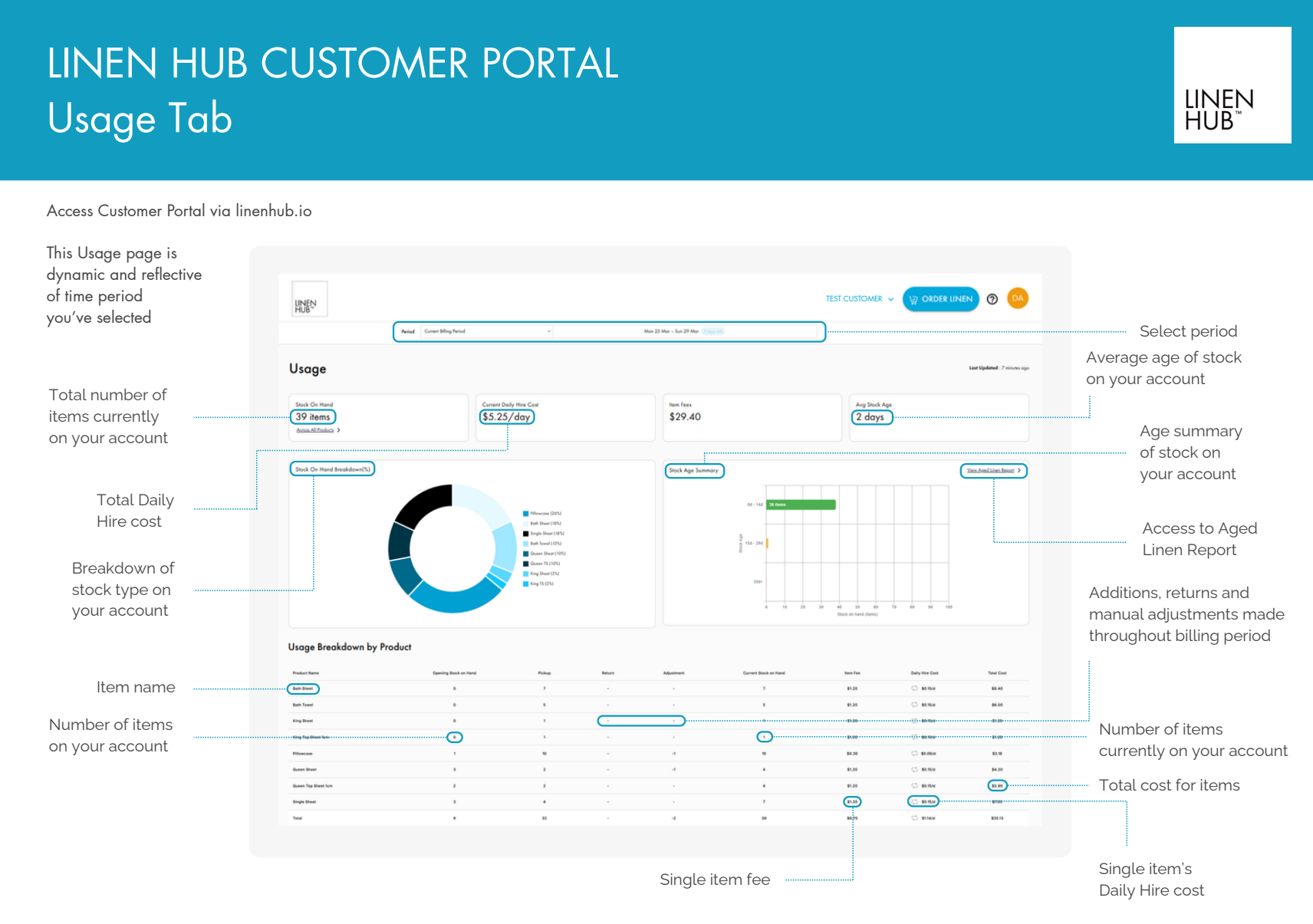
Gives you a real-time snapshot of your linen on hire including:
Total items on hand.
Daily hire cost.
Item fees.
Average stock age.
Product by product table (pickups, returns, adjustments and total costs for the billing period).
Access to Aged Linen Report.
Usage Tab
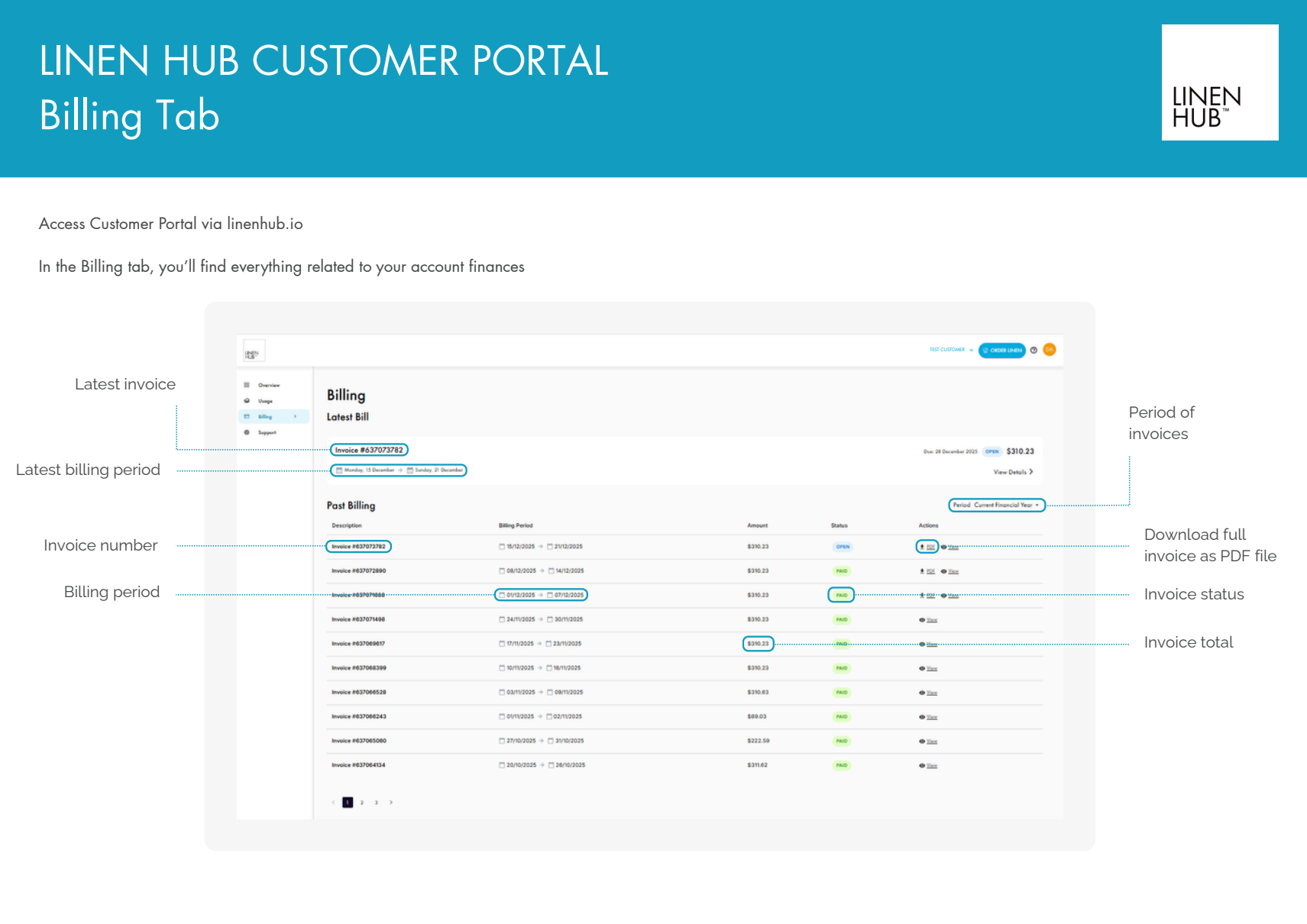
This tab is your central hub for all invoice activity. It displays:
Latest invoice at the top and history of past invoices.
Invoice number.
Billing Period.
Invoice status.
Invoice total.
Billing Tab
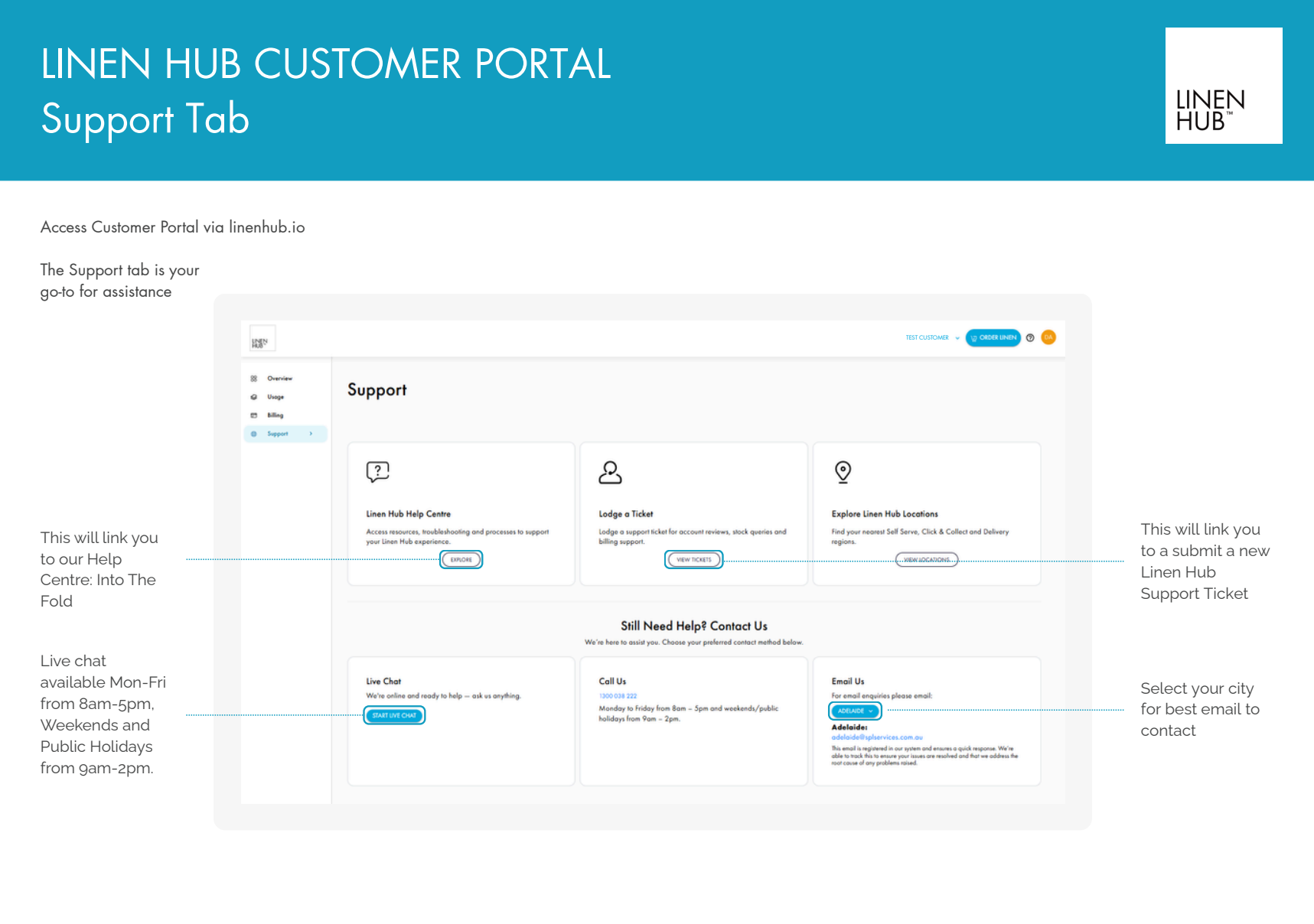
The support tab is your go-to for help.
Access to the Linen Hub Help Centre.
Lodge a support ticket.
Find your nearest location.
Contact the team via live chat
Monday-Friday: 8AM-5PM.
Weekends and public holidays: 9AM-2PM
Support Tab
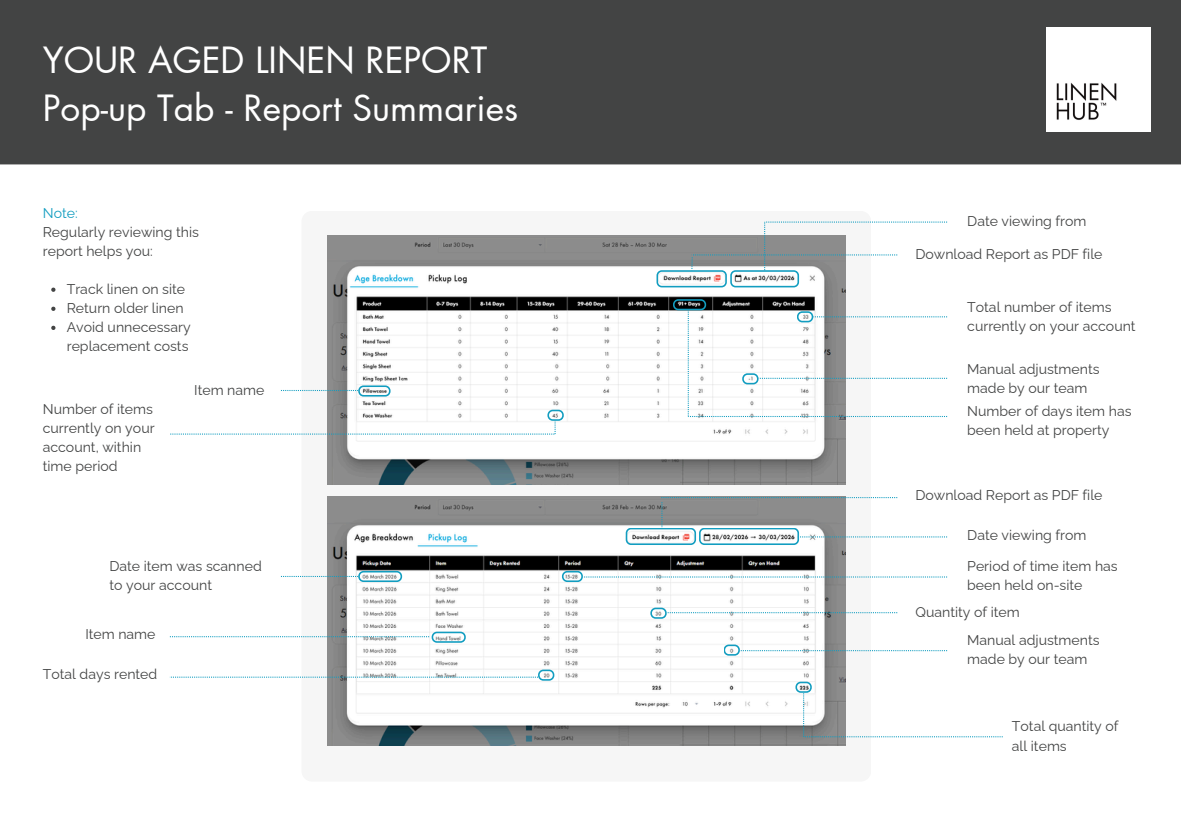
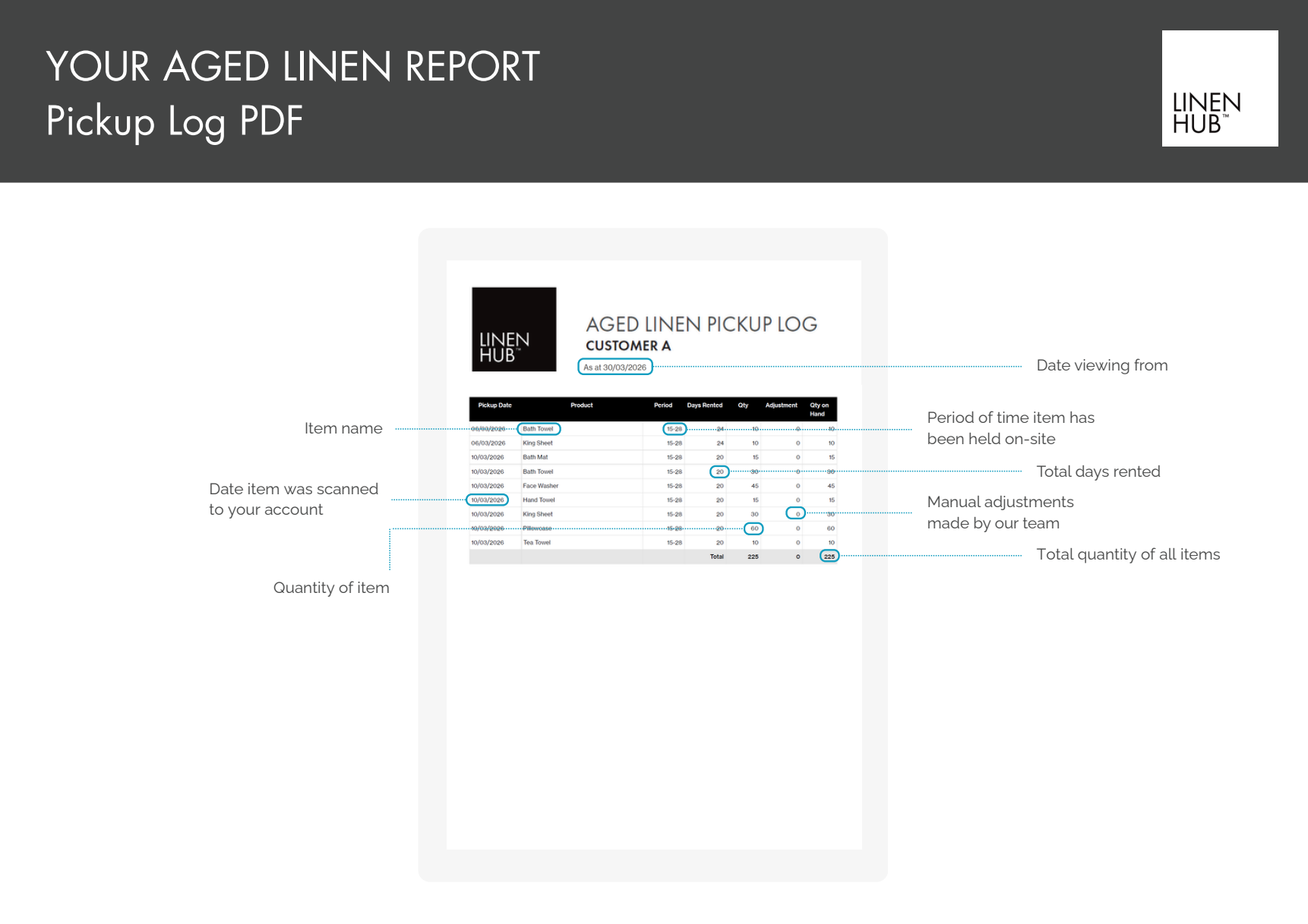
The Aged Linen Report has two views.
Age Breakdown: How long linen has been on-site.
Pickup Log: When each item was scanned to your account.
Regularly reviewing these helps you track linen, return older items and avoid unnecessary replacement costs.
Aged Linen Report
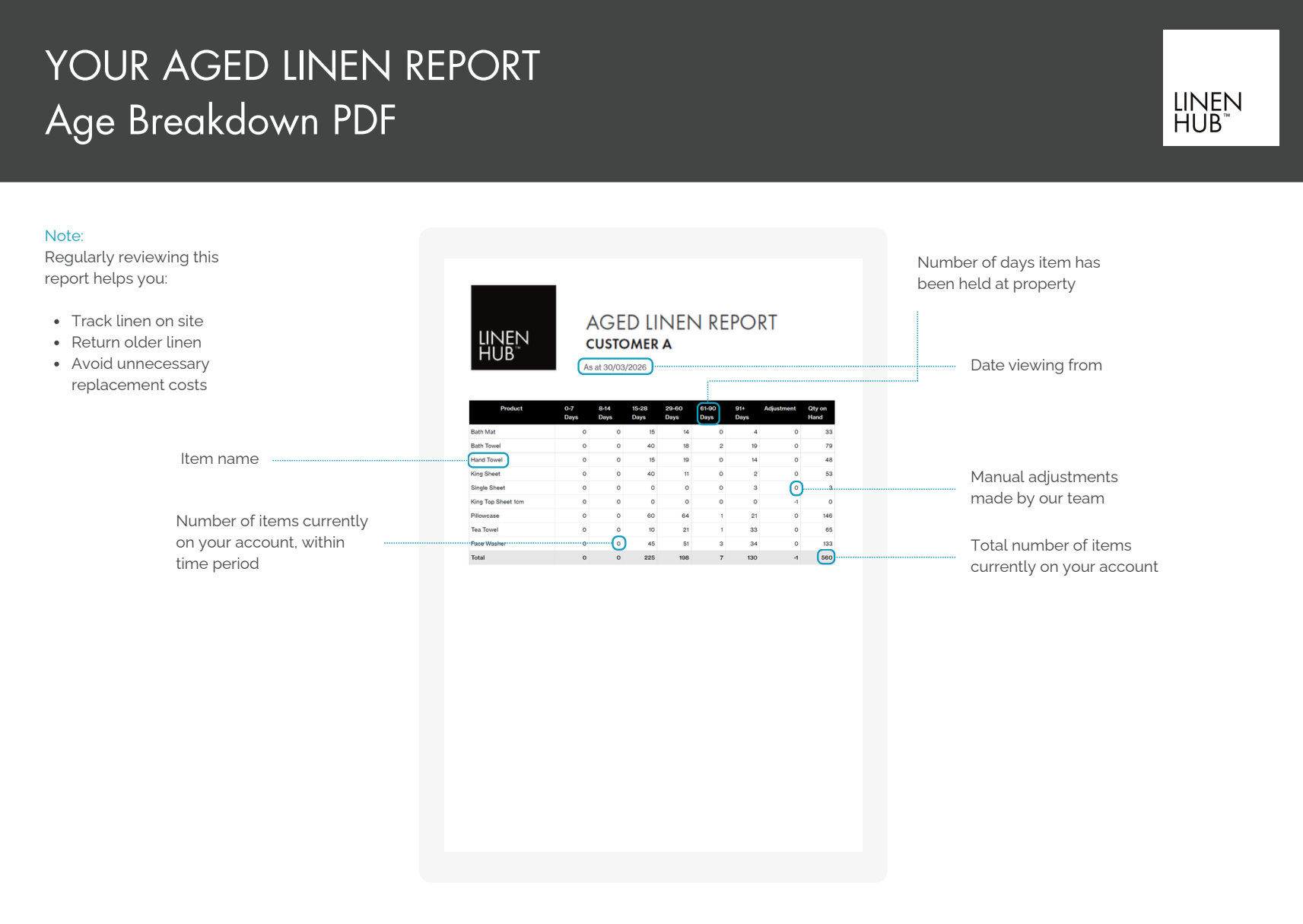
A downloadable PDF showing:
Each linen item by name.
How many days linen has been held at your property.
Quantities on hand.
*Use this to quickly identify linen that has been on-site for long periods of time.
Age Breakdown PDF
A downloadable PDF listing:
Each linen item by its pickup date.
How long linen has been rented
Quantity on hand.
*Gives a clear record of exactly when linen arrived at your property and how long it has been in use.
Pickup Log PDF
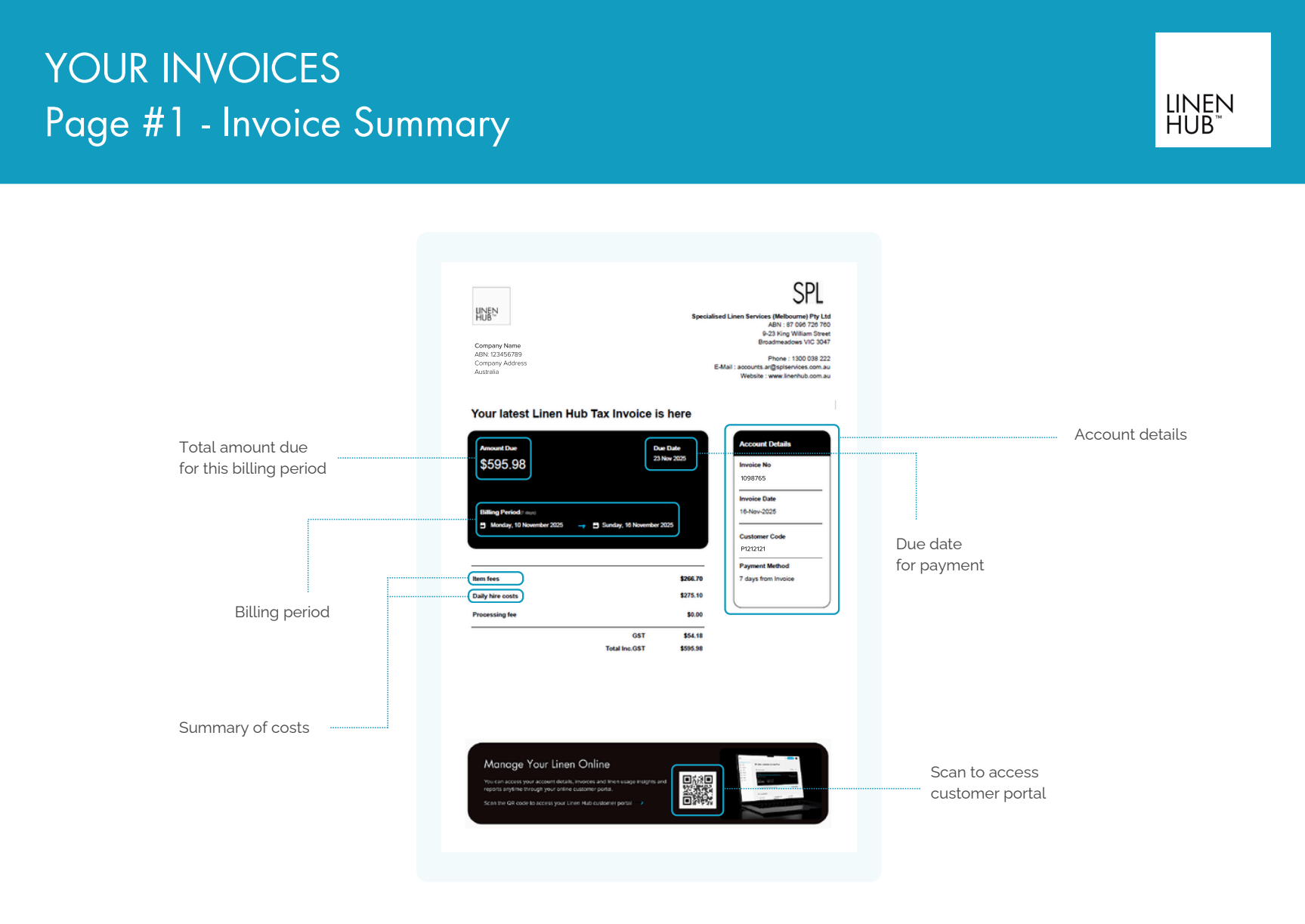
Your invoices gives a clear summary of
Total amount due for the billing period.
Breakdown of costs (item fees, daily hire costs, processing fee and GST).
Billing period dates.
Due date for payment.
A QR code is also at the bottom of your invoice. This allows you to scan directly into your customer portal to manage your linen online.
Billing and Invoices
Reading your Invoice
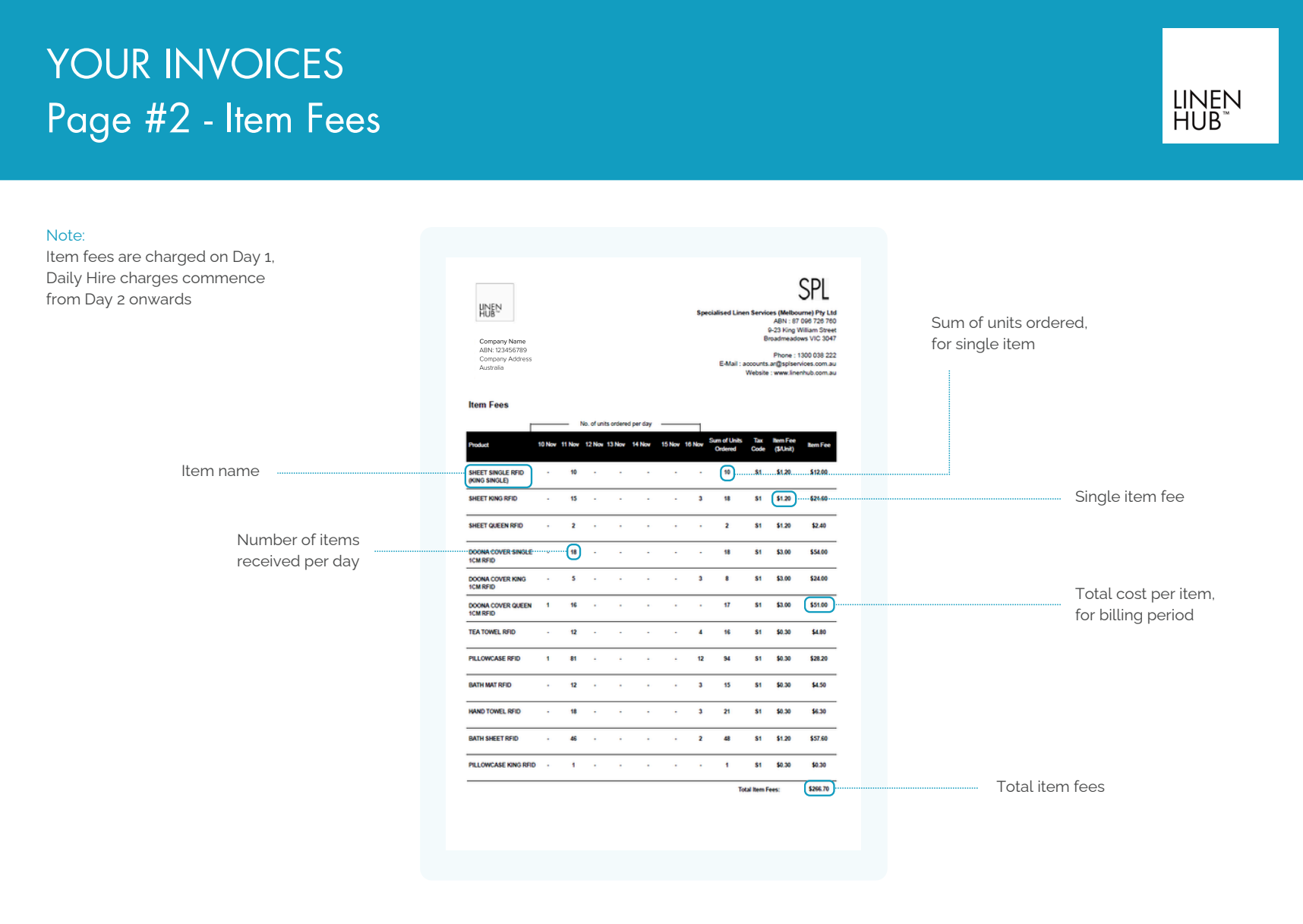
Breakdown of the item fees for each linen product ordered during the billing period.
Number of units received per day.
Total units ordered.
Fee per unit.
Total cost per item.
Item fees are a one-time charge applied on Day 1 when items arrive. Daily hire costs then apply from Day 2 onwards.
Item Fees
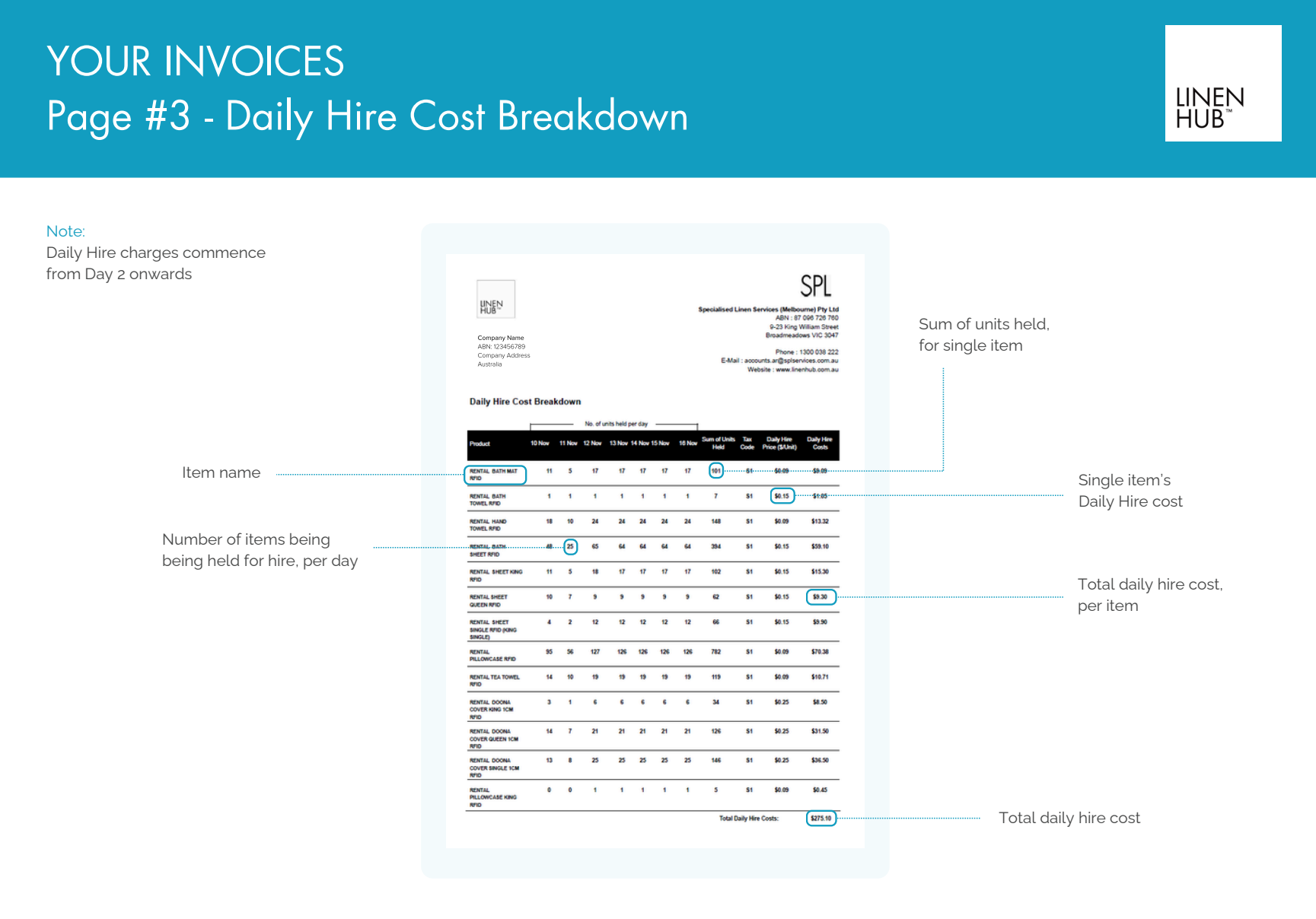
Daily hire costs for each linen item held at your property.
How many units of each item were on-site per day throughout your billing period.
Daily hire rate per unit.
Total hire cost for each item.
Daily hire charges begin from Day 2 onwards. All individual item costs are totaled at the bottom, giving you full transparency over your ongoing charges.
Daily Hire Cost Breakdown
7-Day Week Customer Care
We’re committed to providing exceptional support to our customers, 7 days a week. Here’s a quick overview of our customer care and technical support hours:
Customer Care Hours:
Monday to Friday: 8:00 AM – 5:00 PM
Saturday, Sunday & Public Holidays: 9:00 AM – 2:00 PM
Technical Support Hours:
Monday to Friday: 9:00 AM – 5:00 PM
-
-
For email enquiries please email:
Victoria
New South Wales
Queensland
South Australia
Western Australia
Each email is registered in our system and ensures a quick response. We’re able to track this to ensure your issues are resolved and that we address the root cause of any problems raised.
-
For phone queries please contact the SPL Customer Care team on 1300 038 222.
Our Office hours for live chat and our 1300 number are 8am-5pm Monday-Friday and 9am-2pm on Weekends and Public Holidays.
-
Should you need additional assistance the following escalation points area available here.
-
To streamline our support process, we kindly ask that you submit a request related to:
aged linen
stock movement
stock on hand
billing support
Submit a Daily Hire Support Ticket
Submitting requests this way will help us manage and respond to your enquiries as efficiently as possible.